
Navigating the complex world of YouTube can feel overwhelming, especially when you’re striving for visibility and sustainable audience engagement. Fortunately, a robust ecosystem of YouTube tools has emerged to assist creators in optimizing their content, understanding their audience, and ultimately fostering **_channel growth_**. But with so many options available, choosing the right tool – or combination of tools – can be a challenge.
This article aims to provide an objective and informative comparison of some of the leading YouTube-related tools, focusing primarily on VidIQ and TubeBuddy, as they are often considered direct competitors. We’ll explore their strengths, limitations, and ideal use cases to help you make an informed decision that aligns with your specific creator needs and goals. Our aim is to offer a balanced perspective, acknowledging that different creators have different priorities.
VidIQ: The Data-Driven Optimizer
**VidIQ** positions itself as a data-driven platform designed to provide creators with deep insights into their performance, competitor strategies, and trending topics. It’s often favored by those who enjoy diving into analytics and making decisions based on comprehensive data.
Strengths of VidIQ:
- Advanced Analytics & Competitor Research: VidIQ offers an impressive suite of analytics tools, allowing you to track your channel’s performance, analyze your competitors’ strategies, and uncover what’s working well in your niche. Its real-time stats bar for videos is particularly useful for immediate performance feedback.
- AI-Powered Suggestions: The platform leverages AI to suggest titles, descriptions, and tags that can improve your _video SEO_. This can be a significant time-saver and provide fresh perspectives on optimizing your content.
- Trend Spotting: VidIQ excels at helping you identify trending topics and videos, giving you the opportunity to create timely content that can capture broader interest.
- Robust Keyword Research: Its keyword research tool provides detailed insights into search volume, competition, and related keywords, essential for ranking higher in YouTube search results.
- Audience Engagement Tools: While primarily analytical, it also helps track comments and engagement, offering insights into audience sentiment.
Limitations of VidIQ:
- Steeper Learning Curve: The sheer volume of data and features can be overwhelming for beginners. The interface, while powerful, might feel a bit cluttered initially.
- Free Tier Limitations: While a free version is available, many of its most powerful features are locked behind paid subscriptions, which can be an investment for smaller channels.
Ideal Use Case for VidIQ:
VidIQ is best suited for data-driven creators, marketers, and businesses serious about competitive analysis and leveraging AI insights for _video SEO_. It’s an excellent choice for those looking to accelerate **_channel growth_** through strategic content decisions based on deep analytics and trend identification. For those ready to dive deeper into their analytics and optimization, you can explore the advanced features by logging in at https://vidiq.com/login. This platform empowers creators to make data-backed decisions for their **_channel growth_**.
TubeBuddy: The Workflow Enhancer
*TubeBuddy* often appeals to creators looking for an all-in-one solution that streamlines their daily YouTube workflow, from video uploading to promotion. It focuses heavily on ease of use and integrating directly into the YouTube interface.
Strengths of TubeBuddy:
- User-Friendly Interface: TubeBuddy is generally considered more intuitive for beginners, seamlessly integrating its tools directly into the YouTube studio and video watch pages.
- Workflow Efficiency Tools: It offers robust features for bulk editing, comment management, and a handy thumbnail generator. These tools can significantly cut down on the time spent on repetitive tasks.
- Comprehensive Keyword Research: Similar to VidIQ, TubeBuddy provides excellent keyword research capabilities, including search volume, competition scores, and suggested tags.
- A/B Testing: A standout feature is its ability to A/B test video titles and thumbnails, allowing creators to empirically determine what performs best with their audience.
- Video SEO Toolkit: It offers checklists and recommendations to ensure your videos are optimized before publishing, making it easier to implement good _video SEO_ practices.
Limitations of TubeBuddy:
- Analytics Depth: While it provides good analytics, its competitor analysis and trend-spotting features might not be as granular or extensive as VidIQ’s for deep strategic insights.
- Less AI-Focused: TubeBuddy tends to be more about providing tools for manual optimization and workflow management rather than offering AI-driven content suggestions.
Ideal Use Case for TubeBuddy:
*TubeBuddy* is ideal for creators who prioritize workflow efficiency, effective content management, and A/B testing to refine their strategy. It’s particularly good for beginners who want a guided approach to _video SEO_ and managing their channel, offering a gentler learning curve for understanding and using various YouTube tools.
Other Complementary YouTube Tools
Beyond VidIQ and TubeBuddy, several other tools play crucial roles in a creator’s arsenal. These often serve specific niches or complement the broader functionalities offered by the main optimization platforms.
- Canva (Canva.com): An incredibly versatile graphic design tool, perfect for creating eye-catching thumbnails, channel art, and end screens. While not directly for _video SEO_ or analytics, good visuals are critical for click-through rates.
- Video Editing Software (e.g., DaVinci Resolve, Adobe Premiere Pro): High-quality editing is fundamental. Tools like DaVinci Resolve (free and powerful) or Adobe Premiere Pro (industry standard) are essential for producing polished content.
- Social Blade (SocialBlade.com): Provides public statistics and analytics for YouTube channels, Twitch streams, and other social media platforms. It’s excellent for a quick overview of a channel’s growth trajectory and basic competitor tracking, though less detailed than VidIQ or TubeBuddy’s internal analytics.
- Copyright-Free Music Libraries (e.g., YouTube Audio Library, Epidemic Sound): Crucial for adding professional audio to your videos without legal issues. These are not optimization tools but essential content creation resources.
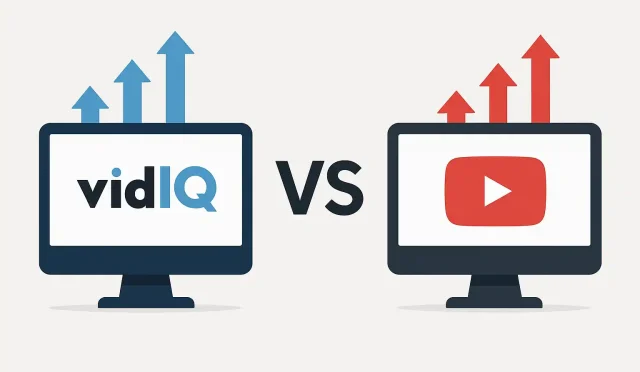
VidIQ vs. TubeBuddy: A Direct Comparison
When comparing **VidIQ** and *TubeBuddy* directly, it reveals their core philosophies:
- Focus: VidIQ leans heavily into data analytics, competitive intelligence, and AI-driven insights. TubeBuddy emphasizes workflow efficiency, ease of use, and practical management tools.
- Keyword Research: Both are strong. VidIQ might offer slightly more advanced trending insights, while TubeBuddy integrates its suggestions very smoothly into the YouTube interface.
- Analytics: VidIQ generally provides deeper insights into competitor performance and industry trends, which can be invaluable for strategic planning. TubeBuddy offers solid personal channel analytics.
- User Interface: TubeBuddy’s interface is often cited as more beginner-friendly and less visually dense. VidIQ’s interface, while packed with information, can take more time to master.
- Pricing: Both offer tiered subscription models with increasingly powerful features. Their free versions serve as excellent starting points to explore their core functionalities.
Choosing the Right Tool(s) for Your Channel
There isn’t a single “best” tool; the ideal choice depends entirely on your specific needs, budget, and experience level. Many creators find success by using a combination of these YouTube tools to cover various aspects of their content strategy.
- If you are highly analytical, enjoy competitive research, and want AI-powered insights to inform your content strategy, **VidIQ** might be your primary choice for boosting _video SEO_ and rapid **_channel growth_**.
- If you prioritize streamlining your workflow, efficient content management, and A/B testing to refine your approach, *TubeBuddy* could be the perfect fit.
- For visual elements, Canva is indispensable. For high-quality video production, dedicated editing software is a must.
Ultimately, these tools are designed to foster sustainable **_channel growth_** by providing creators with the data and efficiency they need to make informed decisions. We recommend trying the free versions of VidIQ and TubeBuddy to see which one resonates more with your personal workflow and strategic outlook. Understanding which YouTube tools best serve your unique objectives is a critical step towards building a successful and thriving channel.