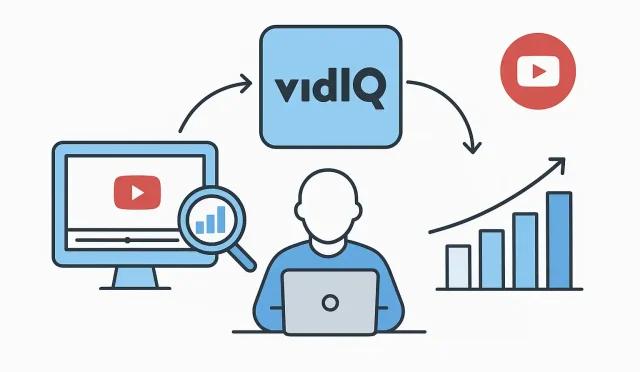
Growing a YouTube channel can often feel like navigating a complex maze. Between coming up with fresh ideas, filming, editing, and then hoping your video actually gets seen, there’s a lot to manage. This is where helpful creator tools like VidIQ come into play. It’s not just about having more data; it’s about integrating those insights into your everyday YouTube workflows to make smarter decisions and work more efficiently. Let’s explore how you can use VidIQ features in real, practical scenarios to boost your channel’s growth.
Enhancing Your Content Strategy with Keyword Research
One of the most fundamental steps in creating successful YouTube content is understanding what your audience is searching for. Simply guessing can lead to videos that don’t quite hit the mark. This is where VidIQ’s keyword research tools become invaluable. Instead of just brainstorming ideas, you can validate them with data.
Finding High-Potential Keywords
Imagine you want to create a tutorial on “video editing for beginners.” You could go into VidIQ’s Keyword Inspector and type that in. You’ll then see a score indicating the search volume versus the competition. Perhaps “video editing for beginners” is too competitive, but VidIQ might suggest related keywords like “DaVinci Resolve for absolute beginners” or “free video editing software tutorial.” These long-tail keywords often have lower competition but still attract dedicated viewers.
- Real Use Case: Before planning your next video, spend 15-20 minutes in VidIQ’s keyword tool. Identify 2-3 potential topics with a good “overall score” (balancing search volume and competition). This initial research can significantly improve your _video SEO_ and ensure your content has a better chance of being discovered.
- Contextual Tip: Don’t just pick keywords with high search volume. A lower search volume keyword with very low competition can often perform better for a smaller or growing channel, giving you an edge.
Analyzing Your Niche and Competitors
Understanding what works for others in your niche isn’t about copying; it’s about learning and finding your unique angle. VidIQ offers robust tools for competitor analysis that can inform your own content strategy.
Gaining Insights from Successful Channels
With VidIQ installed as a browser extension, when you visit a competitor’s video, you’ll see a wealth of data right on the YouTube page. This includes their most used tags, average daily views, and even their best-performing videos over specific periods. This insight helps you spot trends, understand what types of thumbnails or titles are grabbing attention, and see which topics resonate most with a shared audience.
- Real Use Case: Dedicate an hour once a week to review the top 5-10 channels in your niche. Use VidIQ to identify their most popular videos from the last 30-90 days. Are there common themes? What kind of calls to action are they using? How are their titles structured? This helps you refine your own approach and discover gaps in content that you could fill.
- Contextual Tip: Pay attention to the “Channel Tags” section that VidIQ displays. These are often broad tags that define the channel’s overall focus and can inspire your own channel-level optimization.
Optimizing Your Videos for Maximum Reach
Once your video is uploaded, the optimization process begins. This is where VidIQ’s SEO Scorecard and optimization suggestions become incredibly helpful, guiding you through the critical steps to improve your _video SEO_.
Leveraging the SEO Scorecard
After uploading your video to YouTube Studio, the VidIQ extension provides a real-time SEO score. It meticulously checks various elements like your title, description, tags, cards, end screens, and even if you’ve added a pinned comment. It then offers actionable suggestions to improve each aspect.
- Real Use Case: As you’re writing your video description, VidIQ will suggest related keywords to include. When adding tags, it will recommend popular and relevant tags based on your video’s content and the keywords you’ve already used. It even tells you if your thumbnail is good quality or if your description is too short. Following these suggestions systematically for every upload can dramatically increase your video’s discoverability. Think of it as having a personal SEO assistant guiding your YouTube workflows.
- Contextual Tip: Don’t just aim for a perfect score. Focus on making each element genuinely helpful and relevant to your audience first. The score is a guide, not the ultimate goal.
Understanding Your Channel’s Performance and Planning Ahead
Beyond individual video optimization, VidIQ offers tools that help you understand your channel’s overall health and plan your future content strategy.
Daily Ideas and Best Time to Post
VidIQ’s ‘Daily Ideas’ feature provides personalized content suggestions based on your channel’s niche and trending topics. This can be a goldmine when you’re experiencing creator’s block. Additionally, understanding when your audience is most active can help you schedule your uploads for maximum initial engagement.
- Real Use Case: If you’re struggling for your next video idea, check the Daily Ideas. You might find a high-potential topic you hadn’t considered. Similarly, use the ‘Best Time to Post’ feature to schedule your video premieres. This seemingly small adjustment can lead to more views in the critical first hour, signaling to YouTube that your content is engaging and worth promoting further. These are crucial VidIQ features for sustained growth.
- Contextual Tip: While Daily Ideas are great, always filter them through your unique perspective and expertise to ensure they align with your brand.
Streamlining Your YouTube Workflows with Productivity Tools
One of the less talked about benefits of using effective creator tools like VidIQ is the time savings, especially for creators managing many videos.
Bulk Editing and Channel Audit
Imagine you need to update a specific link in the description of 20 old videos, or add a new end screen element across a playlist. Doing this manually in YouTube Studio can be incredibly tedious. VidIQ offers bulk editing capabilities that can save hours of work. The channel audit feature also provides a comprehensive overview of your channel’s health, highlighting areas for improvement, such as videos lacking end screens or cards.
- Real Use Case: If you’ve recently updated your website or have a new product to promote, use VidIQ’s bulk editing to quickly add or update relevant links across a selection of your videos. This ensures your entire content library remains up-to-date and relevant, making your YouTube workflows much more efficient.
- Contextual Tip: Regularly review your channel audit report to catch simple optimization opportunities you might otherwise miss. It’s a great way to ensure all your past content continues to work for you.
Integrating VidIQ into Your Creator Routine
Ultimately, the power of VidIQ features isn’t in knowing they exist, but in consistently integrating them into your content creation and optimization processes. It’s about shifting from reactive decisions to proactive, data-informed strategies. Once you’re familiar with these capabilities, getting started or logging back in to leverage these powerful creator tools is straightforward, and you can access your account and all its benefits at https://vidiq.com/login.
By making VidIQ a natural part of your routine—from initial keyword research to final video optimization and ongoing channel management—you’re not just adding another tool; you’re adopting a more strategic approach to YouTube growth. This methodical application of VidIQ features helps you build a sustainable and successful channel over time, refining your YouTube workflows and strengthening your overall content strategy.