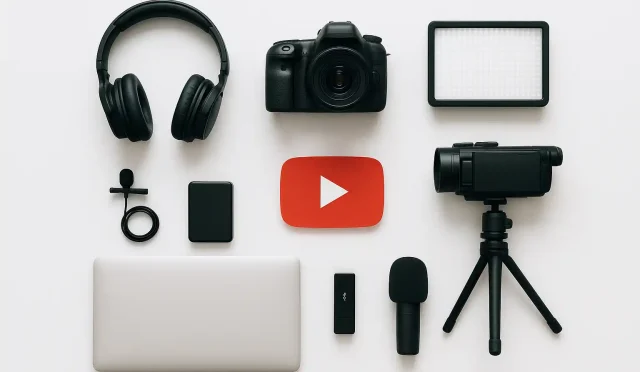
In the vibrant world of YouTube, creators are constantly juggling multiple tasks: scripting, filming, editing, optimizing, and promoting. It’s a demanding process that requires significant time and effort. However, with the right approach and by leveraging the right YouTube creator tools, it’s possible to streamline your workflow, save precious time, and significantly boost your channel’s growth. These tools aren’t magic bullets, but they are powerful enablers that can enhance your content quality and improve your creator efficiency.
Let’s explore various categories of tools that can empower you on your YouTube journey, helping you to work smarter, not just harder.
Keyword Research & Video SEO Tools
One of the biggest challenges for new and established creators alike is discoverability. How do you make sure your videos reach the right audience? This is where keyword research and video SEO tools come into play. They help you understand what your target audience is searching for, identify trending topics, and optimize your video titles, descriptions, and tags for maximum visibility.
- Use Cases: Identifying high-volume, low-competition keywords; analyzing competitor strategies; discovering trending topics; optimizing metadata for search engines.
- Benefits: Increased organic reach, higher click-through rates, better understanding of audience interests, improved search rankings.
- Example: For creators serious about maximizing their reach and understanding video SEO, platforms like VidIQ offer invaluable insights into keyword research, competitor analysis, and daily trend alerts. Accessing these features can be a significant step toward improving your channel’s visibility; you can explore what they offer by logging in here: https://vidiq.com/login.
Video Editing Software
The visual appeal and pacing of your videos are crucial for viewer retention. Professional-looking edits can elevate your content from amateur to polished. While some creators start with basic phone apps, dedicated video editing software offers a vast array of features for more complex and engaging storytelling.
- Use Cases: Cutting and trimming footage, adding transitions, applying visual effects, color grading, integrating music and sound effects, creating intros and outros.
- Benefits: Higher production quality, more engaging content, greater creative control, faster editing workflows as you gain proficiency.
- Examples: Options range from powerful professional suites like Adobe Premiere Pro and Final Cut Pro (for Mac) to more accessible tools like DaVinci Resolve (which has a robust free version) and Filmora.
Thumbnail & Graphic Design Tools
Your video thumbnail is often the first impression a viewer gets of your content. A compelling, clear, and attractive thumbnail can be the difference between a click and a scroll past. These tools help you design eye-catching visuals that accurately represent your video and entice viewers.
- Use Cases: Creating custom thumbnails, channel art, end screens, and other branding elements.
- Benefits: Improved click-through rates, stronger brand identity, professional channel appearance.
- Examples: Canva is excellent for beginners with its vast template library, while Adobe Photoshop and GIMP (a free alternative) offer advanced image manipulation capabilities for experienced designers.
Audio Enhancement Tools
Good audio quality is often overlooked but is absolutely critical for viewer engagement. Poor sound can quickly drive viewers away, even if your video content is fantastic. Tools for audio enhancement help you clean up recordings and ensure your message is heard clearly.
- Use Cases: Noise reduction, equalization, compression, syncing audio with video, adding background music.
- Benefits: Professional-sounding audio, increased viewer retention, clearer communication.
- Examples: Audacity (free and open-source) and Adobe Audition are popular choices for editing and mastering audio tracks.
Social Media Management & Promotion Tools
Your YouTube journey doesn’t end when you upload a video. Promoting your content across other platforms is vital for expanding your reach and attracting new subscribers. Social media management tools can help you schedule posts and analyze performance beyond YouTube itself.
- Use Cases: Scheduling posts across multiple social media platforms, analyzing engagement, managing comments, cross-promotion.
- Benefits: Wider audience reach, increased traffic to your YouTube channel, consistent brand presence across platforms, time savings in promotion.
- Examples: Tools like Buffer, Hootsuite, and even native scheduling features on platforms like Facebook and Twitter can simplify your promotional efforts.
Analytics & Reporting Dashboards
Understanding your audience and how your videos perform is essential for continuous improvement. While YouTube Analytics provides a wealth of information, some third-party tools can offer different perspectives or consolidate data more efficiently.
- Use Cases: Tracking key metrics (watch time, audience retention, subscriber growth), identifying traffic sources, understanding viewer demographics, recognizing patterns in successful content.
- Benefits: Data-driven decision making, clearer understanding of audience preferences, identification of growth opportunities, refined content strategy.
- Example: YouTube Analytics is the primary and most important tool here, but some of the aforementioned SEO tools also provide enhanced analytics overlays.
Content Planning & Organization Tools
Consistency is a cornerstone of YouTube success. Planning your content schedule, managing ideas, and organizing your scripts can prevent burnout and ensure a steady flow of new videos. These tools help keep your creative process structured.
- Use Cases: Brainstorming video ideas, creating editorial calendars, tracking production stages, scriptwriting, managing collaborative projects.
- Benefits: Improved consistency, reduced stress, better time management, cohesive content strategy.
- Examples: Notion, Trello, Asana, Google Docs, or even a simple spreadsheet can be incredibly effective for managing your content pipeline.
Realistic Expectations and Limitations
Ultimately, these _YouTube creator tools_ are designed to boost your creator efficiency and enhance your output. However, it’s crucial to remember that no tool can replace a strong **content strategy**, genuine passion, creativity, and consistent effort. Tools are enablers, not magic wands. There’s often a learning curve involved, and some of the more advanced tools come with a subscription cost.
Start with what you need most, learn one tool at a time, and always prioritize creating valuable, engaging content for your audience. The best tools are those that help you tell your story more effectively and connect with your viewers.
By carefully selecting and integrating the best creator tools, you can refine your **content strategy**, save countless hours, and build a more sustainable and successful YouTube channel. Focus on solving specific challenges in your workflow, and let these digital assistants help you achieve your creative vision.