Navigating the competitive world of YouTube can feel like a complex puzzle. With millions of creators vying for attention, understanding your audience, optimizing your content, and staying ahead of trends is crucial. Thankfully, a variety of tools exist to help creators achieve their goals. This article offers an objective comparison of several popular YouTube-related tools, including VidIQ, TubeBuddy, Google Trends, Social Blade, and YouTube Analytics. We’ll explore their strengths, limitations, and ideal use cases to help you make an informed decision about which ones might best support your specific journey as a YouTube creator.
Understanding Your Needs Before Choosing a Tool
Before diving into specific tools, it’s helpful to consider your primary objectives. Are you focused on finding the best keywords for new videos? Do you need help analyzing competitor strategies? Or are you looking to optimize your existing content for better performance? Different tools excel in different areas, so aligning them with your goals is key to unlocking effective YouTube growth.
VidIQ: For Data-Driven Optimization and Competitive Edge
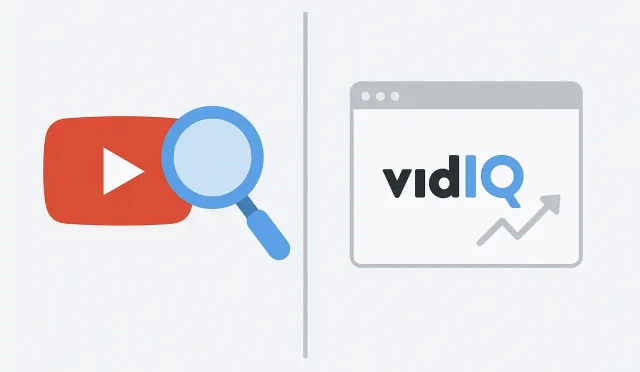
VidIQ is a comprehensive platform designed to help creators find video ideas, perform keyword research, analyze competitors, and track their channel’s performance. It integrates directly into the YouTube interface, providing real-time data and insights as you browse. For many creators serious about data-driven decisions and competitive analysis, VidIQ offers a robust suite of features.
- Strengths:
- Keyword Research: Offers detailed keyword scores, related keywords, and trending searches specifically for YouTube. This is invaluable for strong YouTube SEO.
- Competitive Analysis: Allows you to analyze competitor channels, popular videos, and the keywords they rank for.
- Daily Ideas: Provides personalized daily video ideas based on your channel’s niche and audience, often with estimated viewership potential.
- Channel Audit: Helps identify areas for improvement on your channel, from title optimization to tag usage.
- Trend Alerts: Notifies you about rising trends relevant to your content.
- Limitations:
- Many of its most powerful features are locked behind premium subscriptions, which can be an investment for smaller channels.
- The sheer volume of data and features can feel overwhelming for complete beginners.
- Ideal Use Case: Creators focused on deep dive YouTube SEO, understanding market trends, outperforming competitors, and making data-backed decisions for their content strategy. If you’re ready to explore advanced features to boost your channel’s visibility and are looking for a powerful assistant, you might consider signing up at VidIQ’s login page to see their offerings.
TubeBuddy: Boosting Productivity and Testing Performance
TubeBuddy is another popular browser extension and mobile app that offers a wide array of tools aimed at helping creators optimize, manage, and grow their YouTube channels. It focuses heavily on productivity, bulk processing, and A/B testing capabilities.
- Strengths:
- Productivity Tools: Features like bulk editing (titles, descriptions, tags), canned responses, and a thumbnail generator can save significant time.
- A/B Testing: Allows creators to test different thumbnails, titles, and descriptions to see which performs best. This is crucial for optimizing existing content.
- SEO Studio: Guides you through the process of optimizing your video’s metadata for specific keywords.
- Video Topic Planner: Helps organize and plan future video content.
- Limitations:
- Similar to VidIQ, many advanced features require a paid subscription.
- Some users find its interface a bit less modern or intuitive compared to newer tools.
- Ideal Use Case: Creators prioritizing efficiency, optimizing existing video performance through A/B testing, and streamlining their workflow for consistent uploads and better YouTube growth.
Google Trends & Google Keyword Planner: Free Insights from the Source
These two tools from Google offer valuable, free insights, albeit not specifically tailored for YouTube initially. They provide a foundational understanding of search interest and keyword volume.
- Strengths:
- Free and Accessible: No cost to use, making them excellent starting points.
- Reliable Data: Directly from Google, offering accurate insights into search behavior.
- Trend Identification (Google Trends): Excellent for spotting rising topics and understanding public interest over time.
- Keyword Volume & Competition (Keyword Planner): Provides estimated search volume and competition for general keywords, which can inform your video SEO efforts.
- Limitations:
- Not YouTube-Specific: Data isn’t always directly reflective of YouTube search behavior or video interest.
- Less Granular: Lacks specific YouTube metrics like estimated views per keyword or competitor video analysis.
- Ideal Use Case: Complementary tools for initial topic research, understanding broader market interest, and generating general keyword ideas before diving into YouTube-specific research with other tools.
Social Blade: Public Statistics and Channel Tracking
Social Blade is a website that tracks statistics for YouTube channels, Twitch streamers, Instagram profiles, and more. It aggregates publicly available data to estimate various metrics.
- Strengths:
- Free Access: Most features are free to use.
- Competitor Tracking: Easily track subscriber growth, view counts, and estimated earnings of any public channel.
- Benchmarking: Helps you benchmark your channel’s growth against competitors or industry averages.
- Future Projections: Offers simple projections for subscriber and view milestones.
- Limitations:
- Estimated Data: All earnings and some other metrics are estimates, not exact figures.
- No Optimization Tools: Doesn’t offer any direct tools for video optimization, keyword research, or content creation. It’s purely for data tracking.
- Ideal Use Case: Monitoring personal channel progress, performing high-level competitor analysis, and understanding general trends in channel performance across the platform.
YouTube Analytics: Your Channel’s First-Party Data Hub
Built directly into your YouTube Studio, YouTube Analytics provides invaluable first-party data about your channel and its performance. This is perhaps the most crucial tool for any YouTube creator.
- Strengths:
- Free and Accurate: Provides precise data directly from your channel.
- Audience Insights: Deep dives into demographics, watch time, traffic sources, audience retention, and when your viewers are online.
- Content Performance: Shows which videos are performing best, where viewers are dropping off, and how different content types resonate.
- Real-time Data: Offers a real-time view of your channel’s recent performance.
- Limitations:
- Retrospective: Primarily offers insights into past performance; it doesn’t proactively suggest new video ideas or conduct competitive analysis for future content.
- No External Data: Doesn’t provide data on what’s trending outside your channel or what competitors are doing (beyond what you can infer).
- Ideal Use Case: Understanding your existing audience, optimizing *future* content based on *past* performance, and making informed decisions about your overall YouTube content strategy. It’s the essential dashboard for refining your approach.
Choosing the Right Tools for Your YouTube Journey
The “best” YouTube tool isn’t a one-size-fits-all answer. It truly depends on your specific needs, budget, and stage as a creator. Many successful creators use a combination of these tools to cover all bases:
- Use Google Trends/Keyword Planner for initial topic brainstorming and broad search interest.
- Leverage VidIQ or TubeBuddy for in-depth keyword research, competitor analysis, and specific video SEO optimization. Choose based on whether your priority is competitive insights (VidIQ) or productivity/A/B testing (TubeBuddy).
- Regularly check YouTube Analytics to understand your audience and see how your content is performing, then adapt your YouTube content strategy accordingly.
- Use Social Blade for a quick overview of channel growth and competitor comparison.
By strategically integrating these tools into your workflow, you can gain a significant advantage, make more informed decisions, and work towards sustainable YouTube growth. The key is to experiment, find what works for you, and use data to continually refine your approach.