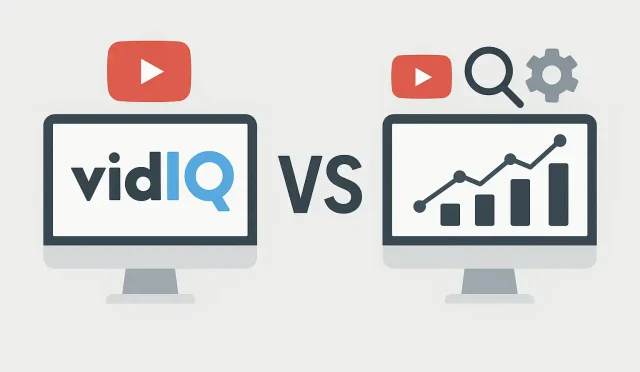
Navigating the dynamic world of YouTube can be exhilarating, but also challenging. To truly stand out and achieve sustainable growth, creators often turn to specialized tools that offer insights beyond what YouTube’s native analytics provide. These YouTube growth tools are designed to help you with everything from keyword research and competitor analysis to optimizing your content for better visibility. But with several options available, choosing the right one for your specific needs can feel overwhelming. This article offers an objective comparison of VidIQ, TubeBuddy, and YouTube Studio, alongside a brief look at other complementary tools, to help you make an informed decision.
YouTube Studio: The Essential Foundation
Before diving into third-party solutions, it’s crucial to understand the foundational tool every creator has at their disposal: YouTube Studio. This is your command center for managing your channel, uploading videos, and accessing a wealth of raw data about your audience and content performance. YouTube Studio provides essential metrics like watch time, subscriber growth, audience demographics, traffic sources, and revenue (if monetized).
- Strengths: It’s free, directly integrated with YouTube, and offers accurate, first-party data. It’s indispensable for understanding your channel’s overall health and identifying broad trends. For basic _YouTube analytics_, it’s unparalleled as a starting point.
- Limitations: While robust, YouTube Studio primarily focuses on historical data and your own channel’s performance. It lacks advanced features for competitor analysis, in-depth keyword research for new content ideas, or bulk editing tools that can significantly speed up workflow. It doesn’t offer predictive insights or comprehensive **video SEO** scoring directly.
- Ideal Use Case: Every YouTube creator, regardless of size, should regularly use YouTube Studio. It’s perfect for monitoring high-level performance, responding to comments, and understanding who your audience is and how they’re engaging with your existing content.
VidIQ: Data-Driven Insights and Optimization
VidIQ is a prominent browser extension and platform designed to equip creators with advanced analytics, keyword research, and optimization tools. Its focus is on providing actionable insights to boost discoverability and help creators make data-driven decisions.
- Strengths: VidIQ shines in its comprehensive keyword research capabilities, allowing you to find high-volume, low-competition keywords specific to YouTube. It offers a “Keyword Score” that helps assess a keyword’s potential, and a “Trend Alert” feature to keep you updated on popular topics. The competitor analysis tools are robust, letting you track rivals’ performance and identify their successful strategies. Its real-time stats bar on YouTube pages provides quick insights into video performance, and the AI Scorecard gives immediate feedback on optimization. VidIQ also includes features like best time to post, audit tools, and a daily ideas generator. It’s an excellent platform for understanding **video SEO** and how to apply it effectively. For creators ready to explore advanced features and gain a competitive edge, platforms like VidIQ offer comprehensive dashboards. You can begin harnessing these powerful analytics to inform your strategy by finding out more at https://vidiq.com/login.
- Limitations: While powerful, the sheer volume of data and features can sometimes be overwhelming for new users. Some of the more advanced features are locked behind paid tiers, which might be a consideration for creators on a tight budget. Its primary focus is on data analysis and optimization, so it doesn’t offer extensive workflow or bulk editing tools like some competitors.
- Ideal Use Case: VidIQ is ideal for creators who are serious about understanding the data behind YouTube growth, optimizing their content for search, and gaining a competitive advantage. It’s particularly useful for those who want to deep-dive into keyword research, track competitors, and continually refine their **video SEO** strategy based on real-time insights. It empowers proactive channel optimization.
TubeBuddy: Workflow Efficiency and A/B Testing
TubeBuddy is another popular browser extension and mobile app that serves as an all-in-one management toolkit for YouTube creators. While it also offers analytics and keyword tools, its particular strength lies in streamlining workflows and providing testing capabilities.
- Strengths: TubeBuddy excels in its workflow efficiency tools. Features like bulk updating, card/end screen templates, and quick tag management can save creators a significant amount of time. Its A/B testing capabilities for thumbnails, titles, and descriptions are a standout feature, allowing creators to scientifically determine what resonates best with their audience. It provides a “Keyword Explorer” similar to VidIQ, but often with a slightly different interface and scoring mechanism. The “Best Time to Publish” and “Retention Analyzer” tools are also highly valuable. TubeBuddy simplifies many routine tasks, making it a great _creator tool_ for efficiency.
- Limitations: While it has strong keyword research tools, some users find VidIQ’s keyword analysis to be slightly more in-depth or intuitive for certain advanced metrics. TubeBuddy’s interface can sometimes feel a bit less streamlined compared to VidIQ for pure analytical deep-dives. Like VidIQ, many of its most powerful features are reserved for paid subscriptions.
- Ideal Use Case: TubeBuddy is excellent for creators who prioritize workflow efficiency, want to save time on repetitive tasks, and are keen on A/B testing different elements of their videos to maximize engagement and click-through rates. It’s particularly beneficial for channels with a large back catalog of videos or creators who upload frequently and need robust management tools to keep their _YouTube analytics_ organized.
Beyond the Main Players: Complementary Tools
While VidIQ and TubeBuddy are often seen as direct competitors, other tools play vital roles in a creator’s ecosystem:
- General SEO Tools (e.g., Ahrefs, SEMrush): These are powerful for broader keyword research and understanding web search trends, which can inform your YouTube content, but they are not specialized for YouTube’s specific algorithm or on-platform search behavior.
- Video Editing Software (e.g., Adobe Premiere Pro, DaVinci Resolve): Essential for creating high-quality content, these are not directly comparable to analytics tools but are indispensable _creator tools_.
- Graphic Design Tools (e.g., Canva, Adobe Photoshop): Crucial for creating compelling thumbnails and channel art, which significantly impact click-through rates.
- Content Planning Tools (e.g., Notion, Trello): Help organize ideas, scripts, and production schedules, supporting overall channel management.
Making Your Choice: Which Tool is Right for You?
The “best” tool ultimately depends on your individual goals, budget, and workflow preferences.
If your primary goal is deep-dive **video SEO**, comprehensive keyword research, competitor analysis, and data-driven insights to inform your content strategy, VidIQ often stands out. It’s a powerful ally for those looking to understand *YouTube growth tools* on an analytical level.
If you prioritize workflow efficiency, bulk editing features, and robust A/B testing to optimize existing content and streamline your channel management, TubeBuddy might be a better fit.
Many creators even opt to use both VidIQ and TubeBuddy, leveraging the unique strengths of each. For instance, using VidIQ for initial keyword research and competitor tracking, and TubeBuddy for A/B testing thumbnails and managing bulk updates. Regardless of your choice, remember that YouTube Studio remains the essential, free foundation for all your _YouTube analytics_ and channel management.
Conclusion: Empowering Your Creator Journey
In the vast landscape of YouTube, having the right _creator tools_ can make a significant difference in your journey. Whether you choose VidIQ, TubeBuddy, or a combination of resources, these platforms are designed to empower you with the insights and efficiencies needed to make smarter decisions, grow your audience, and achieve your channel goals. Experiment, explore, and find the tools that best complement your unique creator style and help you thrive.